
Forms — your starting point
IncludedBuild a form, share one public link and collect what you need. Forms works on its own — everything else here is optional and added to the same workspace.
CUSTOMER ENGAGEMENT
Start with Forms. Add Customer Service and the Social Publisher when you need them — the same accounts, the same review step, no separate tool to learn.
INTARIA SOCIAL PUBLISHER
Turn a campaign idea into polished, channel-specific posts. Use AI to help create copy and branded artwork, review every version together, then publish or schedule across your supported connected accounts.
Tell Intaria the idea, the key facts and the audience.
AI drafts channel-specific copy and on-brand artwork.
Check every version together before anything is scheduled.
Pick the connected accounts and when each post goes out.
Watch each post move from scheduled to published.
A fictional demonstration: a community food drive on Saturday, October 10, 10 a.m.–2 p.m. at Harbor Community Center. The same facts stay consistent across every channel while tone, length and artwork are tailored.
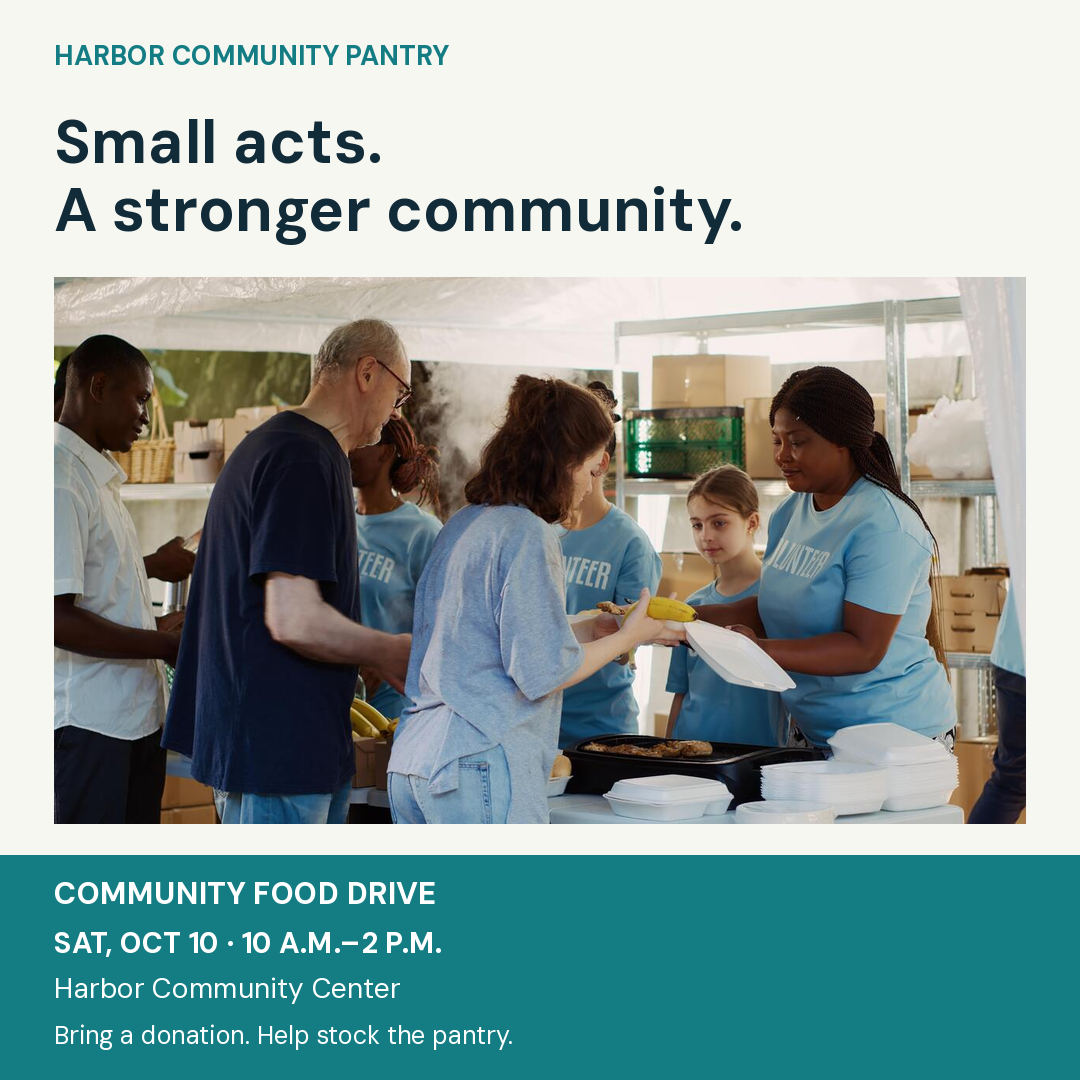
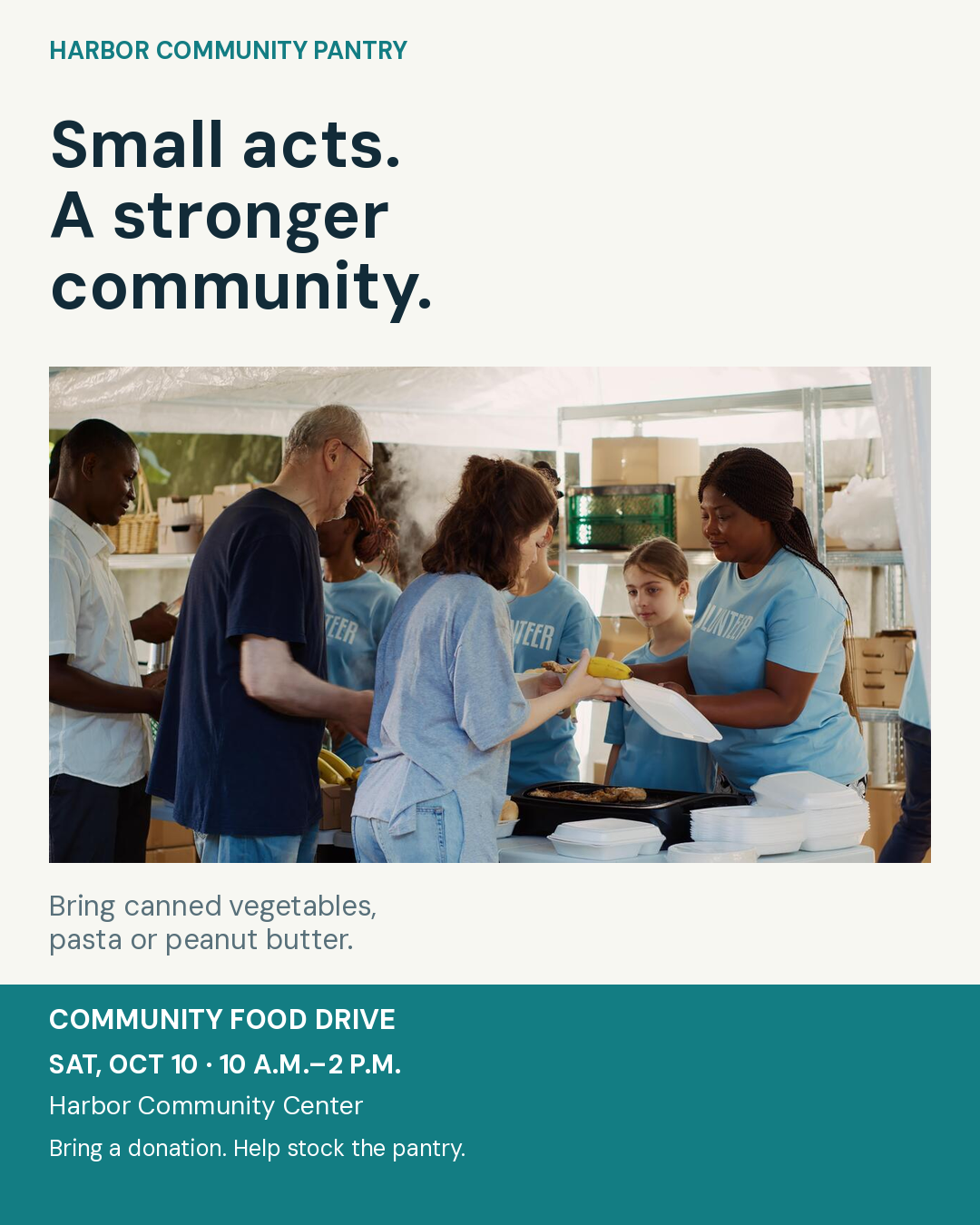
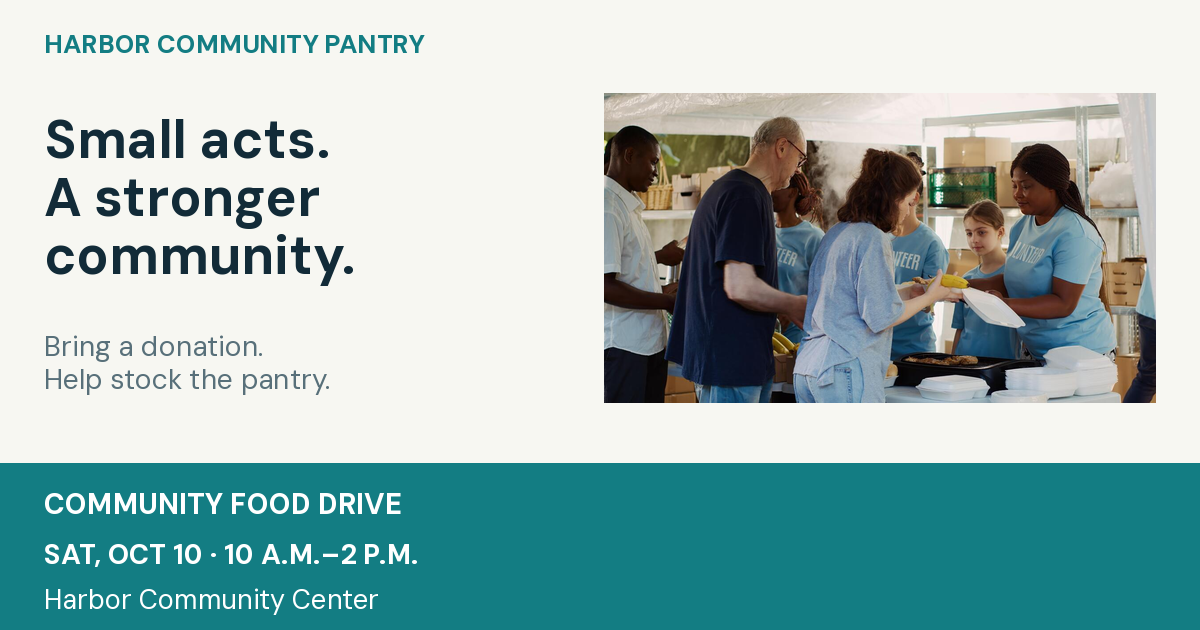
These are example design formats — not a claim that each platform accepts only one size. Select and validate the supported format in the actual publishing workflow.
Neighbors helping neighbors. Join Harbor Community Pantry for our Community Food Drive on Saturday, October 10, from 10 a.m. to 2 p.m. at Harbor Community Center. Bring canned vegetables, pasta, or peanut butter. Help stock the pantry, and invite a friend to join you! #CommunityFoodDrive #NeighborsHelpingNeighbors
A small contribution can support a stronger community. Harbor Community Pantry invites local businesses, teams, and neighbors to our Community Food Drive on Saturday, October 10, 10 a.m.–2 p.m., at Harbor Community Center. We’re collecting canned vegetables, pasta, and peanut butter. Bring a donation or organize a collection with your team. #CommunityImpact #FoodDrive
Small acts. A stronger community. Join our Community Food Drive on Saturday, October 10, 10 a.m.–2 p.m., at Harbor Community Center. Bring canned vegetables, pasta, or peanut butter. Save the date and share with a neighbor! #CommunityFoodDrive #CommunityPantry #GiveBack
Help stock the pantry! Join our food drive Sat, Oct 10, 10 a.m.–2 p.m. at Harbor Community Center. Bring canned vegetables, pasta, or peanut butter. Small acts. A stronger community. #FoodDrive
Illustrative estimate: 40 minutes manually minus 10 minutes in the illustrated workflow = 30 minutes saved per campaign. Four campaigns = two hours per week.
Illustrative estimate — actual time varies. This is not a measured customer benchmark.Build a form, share one public link and collect what you need. Forms works on its own — everything else here is optional and added to the same workspace.
Turn questions into answers, reviewed requests or a clear handoff to a person — with the decision and next step visible to your team.
Draft a post once, prepare on-brand artwork, review it and schedule it. You connect your own accounts, and nothing goes out until a post is approved.
Every post follows the same reviewed path. You stay in control of what is connected and what goes out.
Write once and adapt the wording per network.
Generate on-brand artwork using your own logo and colors.
A person approves before anything is scheduled.
Pick a time; publishing runs only to accounts you connected.
Start a social draft from a form using only its public details — the form’s title, description and public link. Nothing from your responses or private settings is included.
The draft opens in the Social Publisher so you can edit it, add artwork and send it through the same approval step.
Drafting, artwork and review work inside your workspace. To publish to a network you connect that account yourself, and each network must be enabled for your workspace first. Until then, posts stay as reviewed drafts — nothing is sent automatically.
Create a form today. Add customer service and social publishing to the same workspace whenever you need them.
Find an answer, follow a guide or tell us where you’re stuck.
Follow one campaign from idea to publication.
This video shows an illustrative campaign with English captions burned in — not a recording of a completed live publish.
Read the transcript+
Intaria Social Publisher — One Idea. Every Channel.
Narrator: Ready to get your message out? Create social posts and branded artwork.
Narrator: You have something worth sharing. Getting it onto every social channel shouldn't take your afternoon. Meet Intaria Social Publisher: one place to turn your idea into polished, platform-ready posts, and put your message to work.
Narrator: Let's create a campaign for a community food drive. Start with the essentials: what's happening, when, where, and what people should do. Add your brand, your audience, and the tone you want. Then let AI help shape the message.
Narrator: One campaign becomes several tailored posts: a welcoming Facebook announcement, a professional LinkedIn invitation, a visual Instagram post, and a concise update for X. AI helps create the wording, calls to action, and branded artwork. Each version is shaped for its destination, including post length, image layout, and the channel's supported format.
Narrator: Review the previews together. Adjust a headline, check the details, and approve the versions you want. You're in control of the message, without rebuilding it from scratch for every account.
Narrator: Choose your connected channels and when the campaign should go out. Publish now, or schedule automatic posting across your supported social accounts. Follow each channel's delivery status from the same workspace.
Narrator: Here's a simple time-saving illustration. If preparing and posting a campaign takes forty minutes manually, and ten minutes with this workflow, that's thirty minutes back. Four campaigns a week would save two hours. Your actual time will vary.
Narrator: Less chasing. More doing. More time for your customers, your community, and your mission. Explore Intaria dot A I, and bring your next workflow to life.
ON-SCREEN ENDING
SOCIAL PUBLISHER
FOR NONPROFITS & SMALL BUSINESSES
One idea.
Every connected channel.
Create. Format. Review. Publish.
Intaria.ai